Organizations
Create, switch between, and manage organizations in Auxx.ai.
An organization is the container for everything in your Auxx.ai workspace — inboxes, integrations, team members, tickets, and settings. You can belong to multiple organizations and switch between them at any time.
Your organizations
Go to Settings > Organization to see all organizations you belong to.
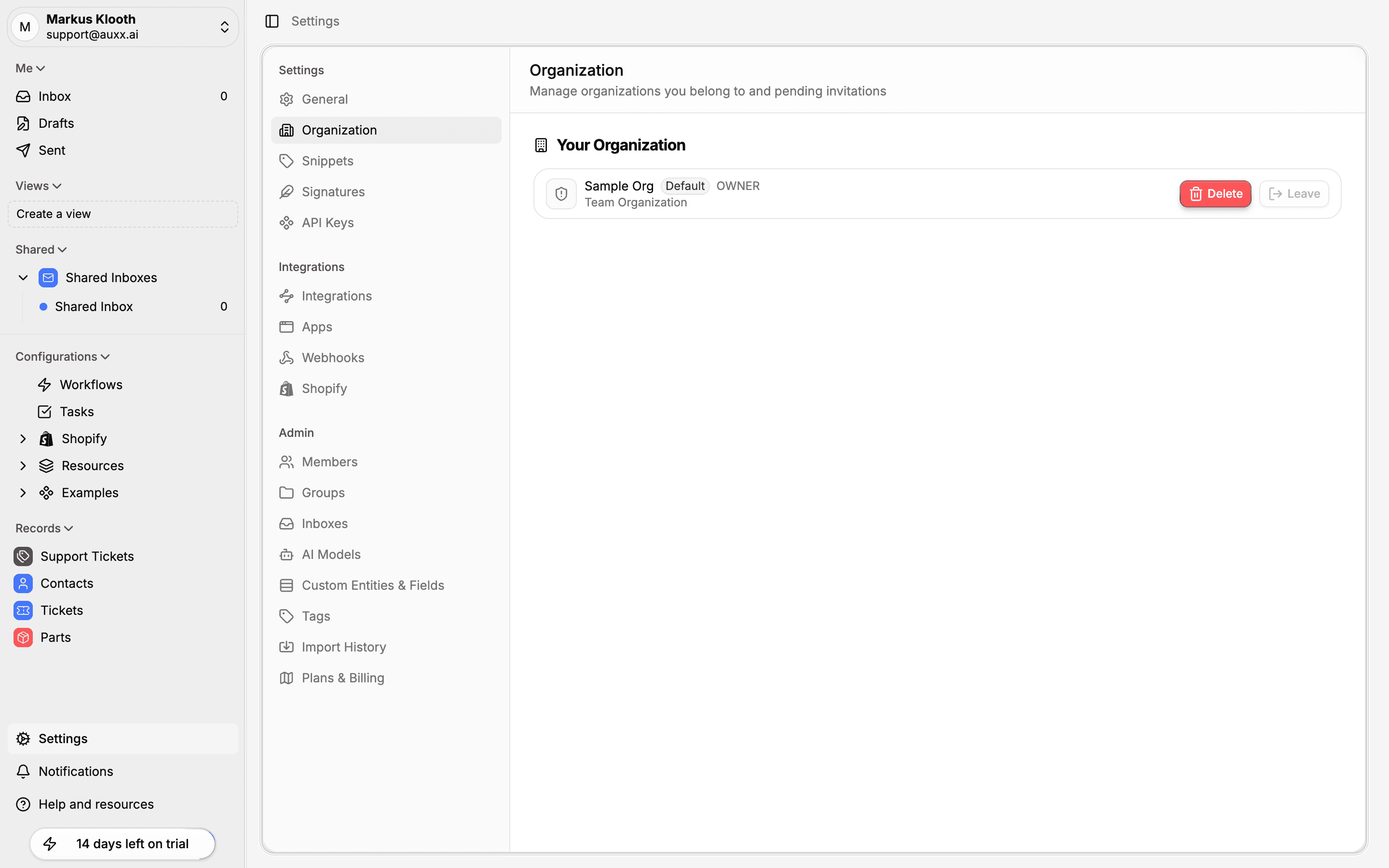
Each organization shows:
- Name — The organization's display name
- Default badge — Indicates which organization loads when you sign in
- Role — Your role in the organization (Owner, Admin, or User)
- Type — Team Organization or Individual
Create an organization
- Click your name at the bottom-left of the sidebar to open the user menu.
- Select Switch Organization.
- Click Add Organization.
- Enter a name and handle for the new organization.
- Click Create.
The new organization is created with you as the owner. You can then invite team members, connect integrations, and configure settings.
Switch organizations
You can switch between organizations in two ways:
- User menu — Click your name in the sidebar, select Switch Organization, and choose the workspace you want.
- Settings — Go to Settings > Organization and click on the organization to switch to.
When you switch, all data in the interface updates to reflect the selected organization — inbox, contacts, settings, and integrations all change to the new workspace context.
Set a default organization
Your default organization is the one that loads automatically when you sign in. To change it, switch to the organization you want as your default — Auxx.ai remembers your last active organization.
Leave an organization
- Go to Settings > Organization.
- Click Leave next to the organization.
Owner restriction
You cannot leave an organization if you are the sole owner. Transfer ownership to another member first, or delete the organization instead.
Delete an organization
Only owners can delete an organization.
- Go to Settings > Organization.
- Click Delete next to the organization.
- Confirm the deletion.
This action is permanent
Deleting an organization removes all its data — inboxes, integrations, members, tickets, contacts, and settings. This cannot be undone.