Tickets
Ticket statuses
Learn about ticket statuses in Auxx.ai — Open, In Progress, Waiting, Resolved, Closed, Cancelled, and Merged.
Every ticket has a status that reflects where it is in the support lifecycle. Statuses help your team prioritize work, track progress, and measure resolution times.
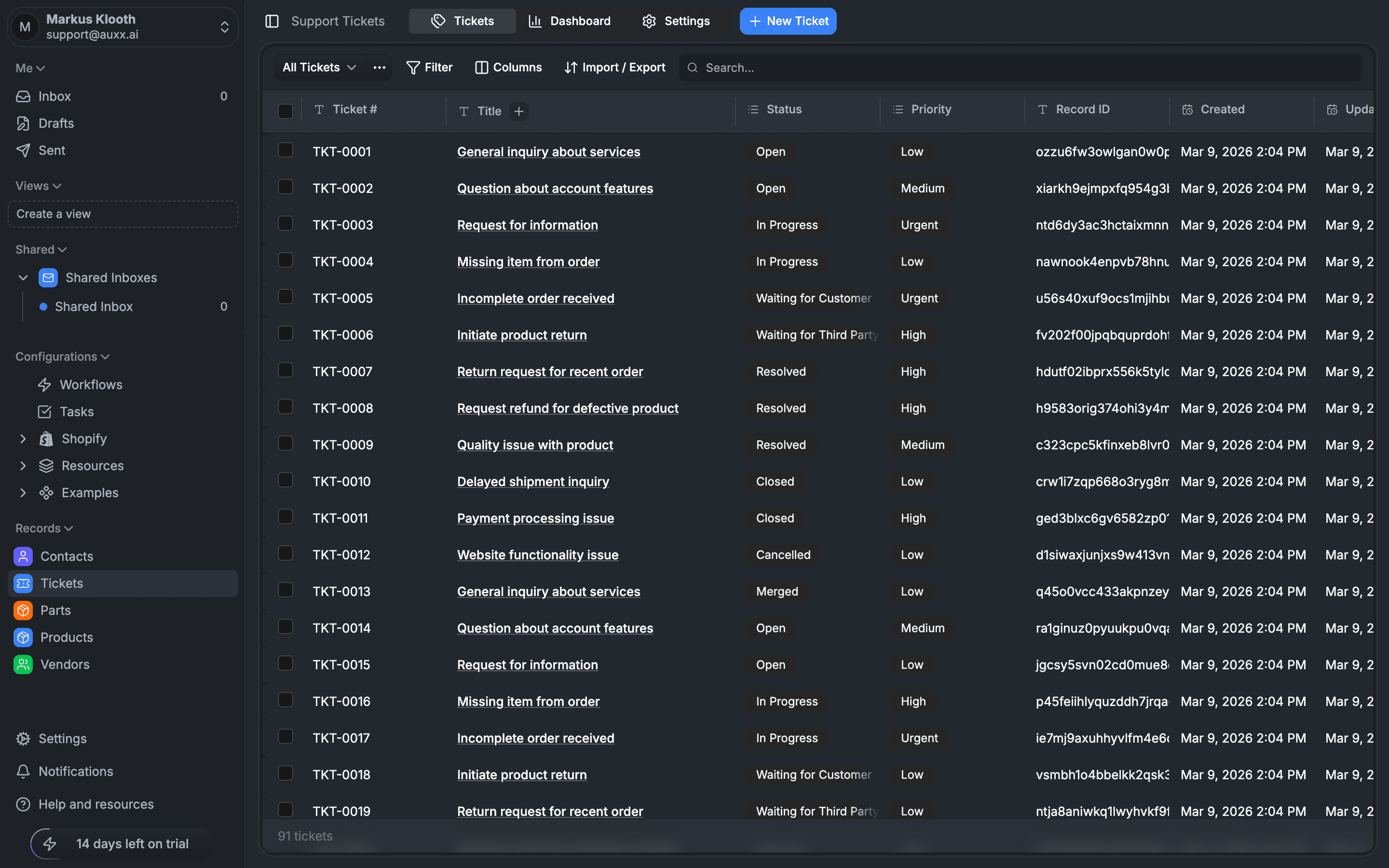
Available statuses
| Status | Description |
|---|---|
| Open | New ticket, not yet being worked on. This is the default status for all new tickets. |
| In Progress | A team member is actively working on this ticket. |
| Waiting for Customer | The team has responded and is waiting for the customer to reply. |
| Waiting for Third Party | Resolution depends on an external party (e.g., a supplier or shipping carrier). |
| Resolved | The issue has been resolved. Sets a resolvedAt timestamp automatically. |
| Closed | The ticket is fully closed. Sets a closedAt timestamp automatically. |
| Cancelled | The ticket was cancelled (e.g., duplicate or no longer relevant). |
| Merged | This ticket was merged into another ticket. |
Active vs terminal statuses
Statuses fall into two groups:
Active statuses — the ticket still needs attention:
- Open
- In Progress
- Waiting for Customer
- Waiting for Third Party
Terminal statuses — the ticket is done:
- Resolved
- Closed
- Cancelled
- Merged
Changing status
Change a ticket's status from:
- The ticket list — use bulk actions to update multiple tickets at once
- The ticket detail view — click the status badge to select a new status
- Workflows — automate status changes based on triggers and conditions
Timestamps
When a ticket moves to a terminal status, Auxx.ai automatically records when it happened:
- Resolved → sets
resolvedAttimestamp - Closed → sets
closedAttimestamp
If you reopen a resolved or closed ticket (change it back to an active status), these timestamps are cleared. This ensures resolution time metrics stay accurate.
Status and metrics
The ticket dashboard uses statuses to calculate key metrics:
- Average resolution time is calculated from ticket creation to the
resolvedAttimestamp - Status distribution chart shows how many tickets are in each status
- New vs resolved chart compares ticket creation rate against resolution rate