Filtering & views
Filter, sort, and customize your ticket list in Auxx.ai — use saved views to organize your support queue.
The ticket list view gives you a filterable, sortable table of all your tickets. Customize what you see by filtering on any field, sorting by columns, and toggling column visibility.
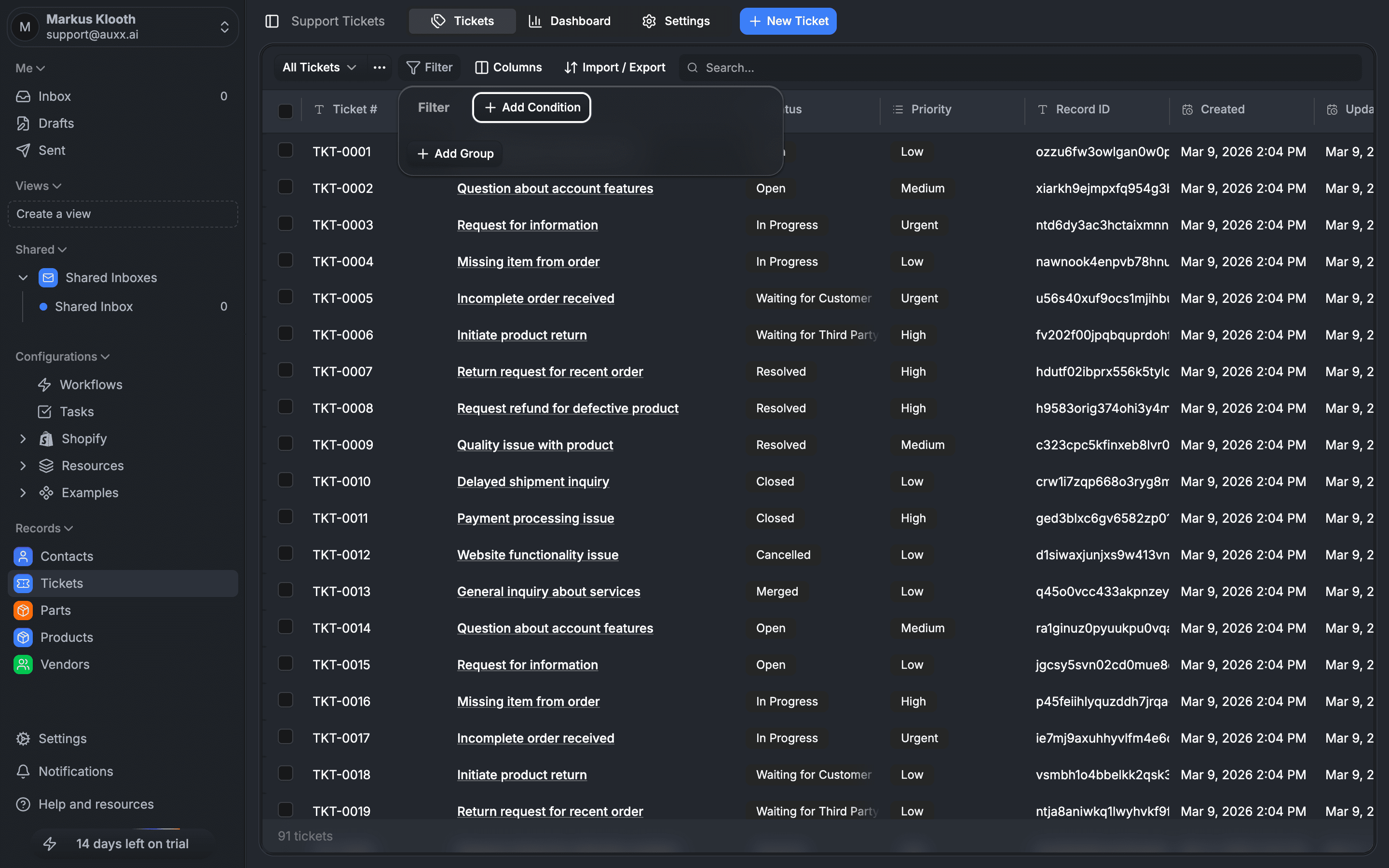
Filtering tickets
Use the filter bar above the ticket list to narrow down results. You can filter by:
| Filter | Options |
|---|---|
| Status | Open, In Progress, Waiting for Customer, Waiting for Third Party, Resolved, Closed, Cancelled, Merged |
| Priority | Low, Medium, High, Urgent |
| Type | General, Missing Item, Return, Refund, Product Issue, Shipping Issue, Billing, Technical, Other |
| Assignee | Any team member, or unassigned |
| Search | Free-text search across ticket titles and content |
Filters can be combined — for example, show only High priority tickets that are Open and assigned to a specific team member.
Apply a filter
- Click the filter controls in the toolbar above the ticket list
- Select the field you want to filter by
- Choose one or more values
- The list updates immediately
Multiple values within a single filter use OR logic (e.g., status = Open OR In Progress). Multiple filters use AND logic (e.g., status = Open AND priority = High).
Sorting
Click any sortable column header to sort the list. Sortable columns include:
- Ticket number
- Title
- Priority
- Type
- Due date
- Created date
- Updated date
Click the same column again to reverse the sort order.
Column visibility
Customize which columns appear in the ticket list:
- Click the column settings control
- Toggle columns on or off
- Your preferences are saved per view
This lets you create focused views — for example, hide the type column if you only work with one ticket type, or show the due date column when tracking deadlines.
Search
Use the search box to find tickets by text content. The search matches against ticket titles and searchable field values. Results update as you type.
Pagination
The ticket list uses cursor-based pagination with 100 tickets per page. Navigate between pages using the pagination controls at the bottom of the list.
URL-based filters
Filters are reflected in the URL query parameters, making it easy to bookmark or share specific views:
?status=OPEN,IN_PROGRESS— filter by status?priority=HIGH,URGENT— filter by priority?type=REFUND,RETURN— filter by type?search=shipping delay— text search