Bulk actions
Perform operations on multiple tickets at once in Auxx.ai — update status, priority, assignment, merge, or delete in bulk.
When you need to act on many tickets at once, bulk actions let you select multiple tickets and apply changes in a single operation.
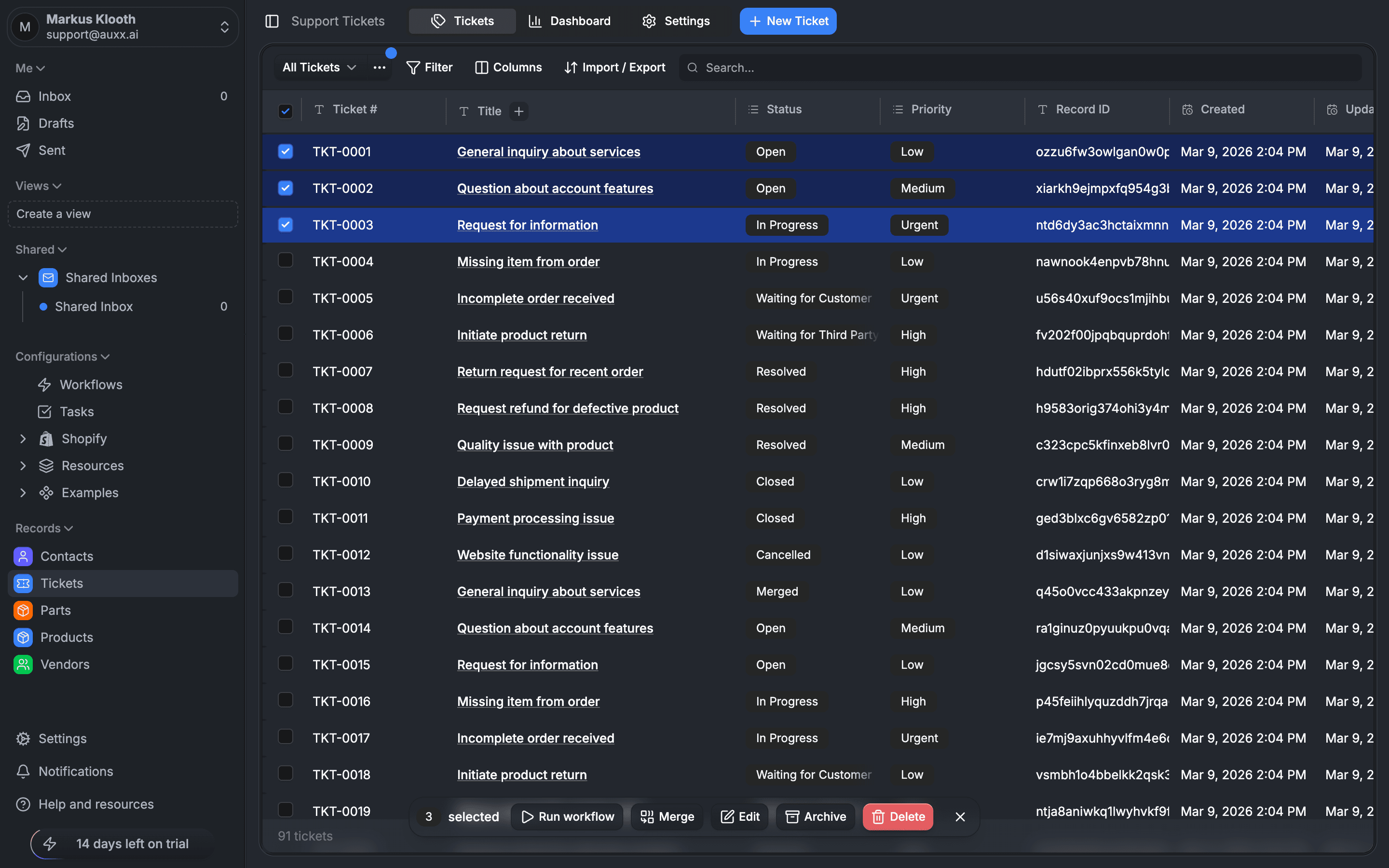
Select tickets
Use the checkboxes on the left side of the ticket list to select individual tickets. Once you have tickets selected, the bulk action toolbar appears.
Available bulk actions
Update status
Change the status of all selected tickets at once.
- Select tickets
- Click Status in the bulk action bar
- Choose the new status
- All selected tickets are updated
Update priority
Change the priority of all selected tickets.
- Select tickets
- Click Priority in the bulk action bar
- Choose the new priority level (Low, Medium, High, Urgent)
Assign
Assign all selected tickets to a team member.
- Select tickets
- Click Assign in the bulk action bar
- Choose a team member from the dropdown
Delete
Delete multiple tickets at once.
- Select tickets
- Click Delete in the bulk action bar
- Confirm the deletion in the dialog
Deleted tickets are permanently removed. A confirmation dialog prevents accidental deletions.
Merge tickets
Combine multiple tickets into a single ticket.
- Select two or more tickets
- Click Merge in the bulk action bar
- Choose which ticket to keep as the primary ticket
- Confirm the merge
After merging:
- The primary ticket remains with its original number and data
- Merged tickets have their status set to Merged
- Conversation history from merged tickets is preserved on the primary ticket
Merging is useful when a customer submits duplicate requests or when related issues should be tracked as one ticket.
Trigger workflow
Run a workflow on selected tickets.
- Select tickets
- Click the workflow trigger action
- Choose a workflow to execute
- The workflow runs on each selected ticket
This is useful for applying automation retroactively — for example, running a tagging or routing workflow on tickets that were created before the workflow existed.