Account & Security
Webhooks
Set up webhooks to receive real-time HTTP notifications when events happen in your Auxx.ai workspace.
Webhooks send HTTP POST requests to your server when events happen in Auxx.ai — like a new ticket being created or a message being received. Use them to build real-time integrations with your own applications.
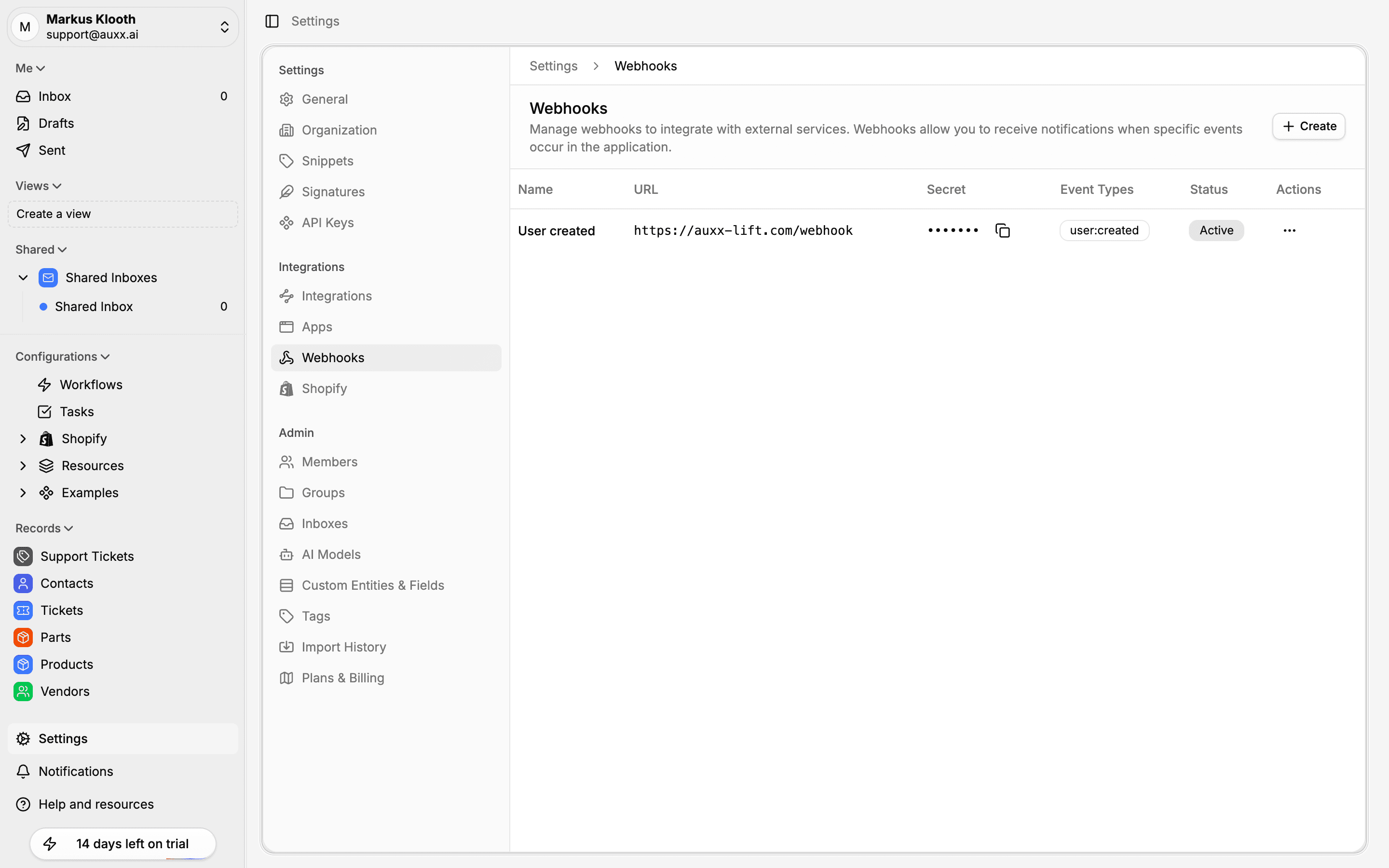
Create a webhook
- Go to Settings > Webhooks
- Click Create
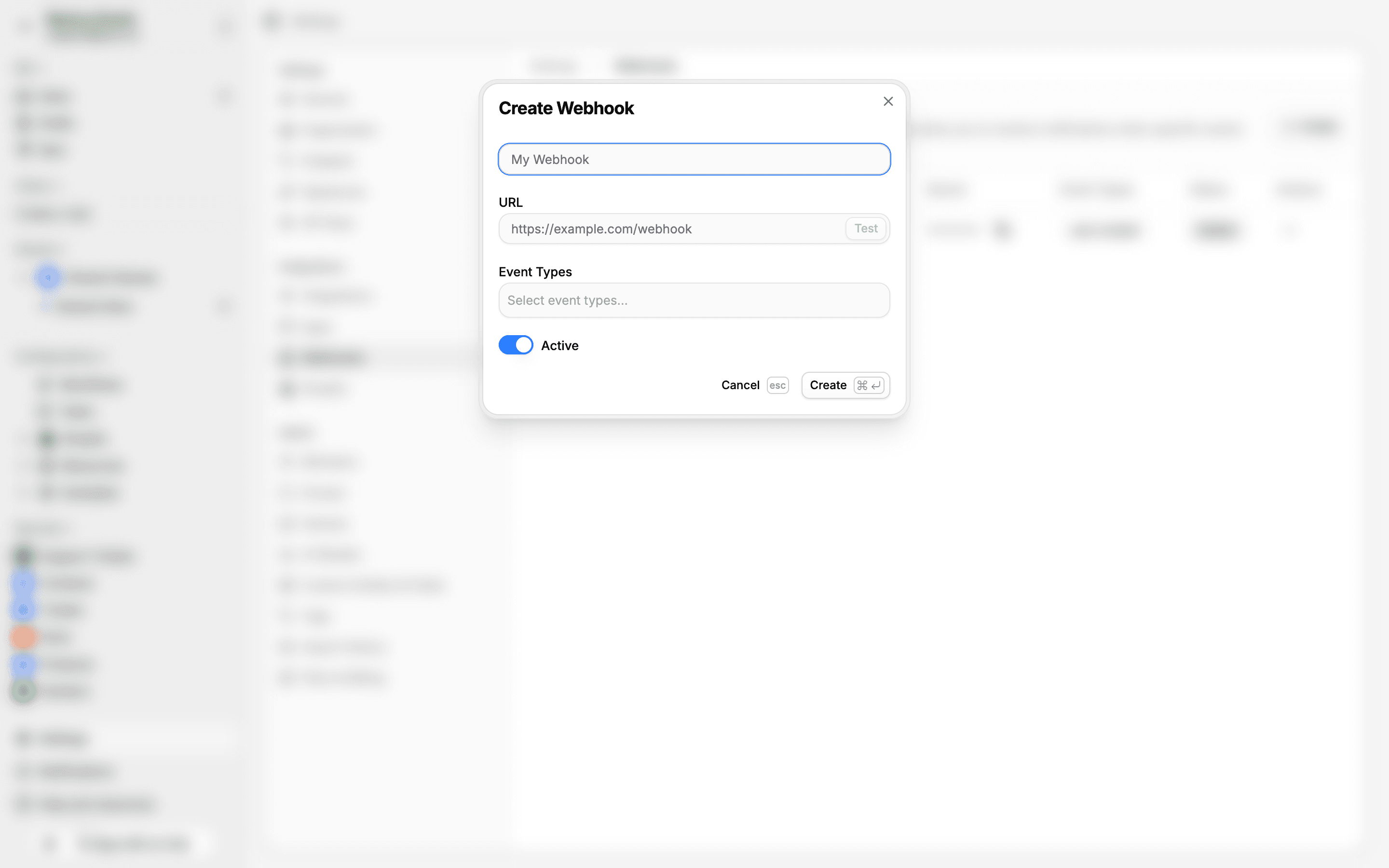
- Fill in the details:
- Name — A label to identify this webhook
- URL — The HTTPS endpoint that will receive events
- Events — Select which event types to subscribe to
- Click Save
The webhook is created in an active state and starts delivering events immediately.
Available events
Webhook security
Each webhook is assigned a secret when created. Auxx.ai signs every delivery with this secret using HMAC-SHA256. Verify the signature on your server to ensure requests are authentic.
The signature is included in two headers:
X-Auxx-SignatureX-Webhook-Signature
Verifying the signature
import { createHmac } from 'crypto'

function verifyWebhookSignature(
  payload: string,
  signature: string,
  secret: string
): boolean {
  const expected = createHmac('sha256', secret)
    .update(payload)
    .digest('hex')
  return expected === signature
}
Managing webhooks
From Settings > Webhooks, you can:
- Edit — Change the name, URL, or subscribed events
- Activate / Deactivate — Temporarily pause deliveries without deleting the webhook
- Test — Send a test payload to verify your endpoint is reachable
- Delete — Permanently remove the webhook
The webhook list shows each webhook's name, URL, secret (masked), subscribed events, and status.