Dataset settings
Configure chunking strategy, embedding model, and search options for datasets in Auxx.ai.
Each dataset has configurable settings that control how documents are processed and searched. Open a dataset and go to the Settings tab.
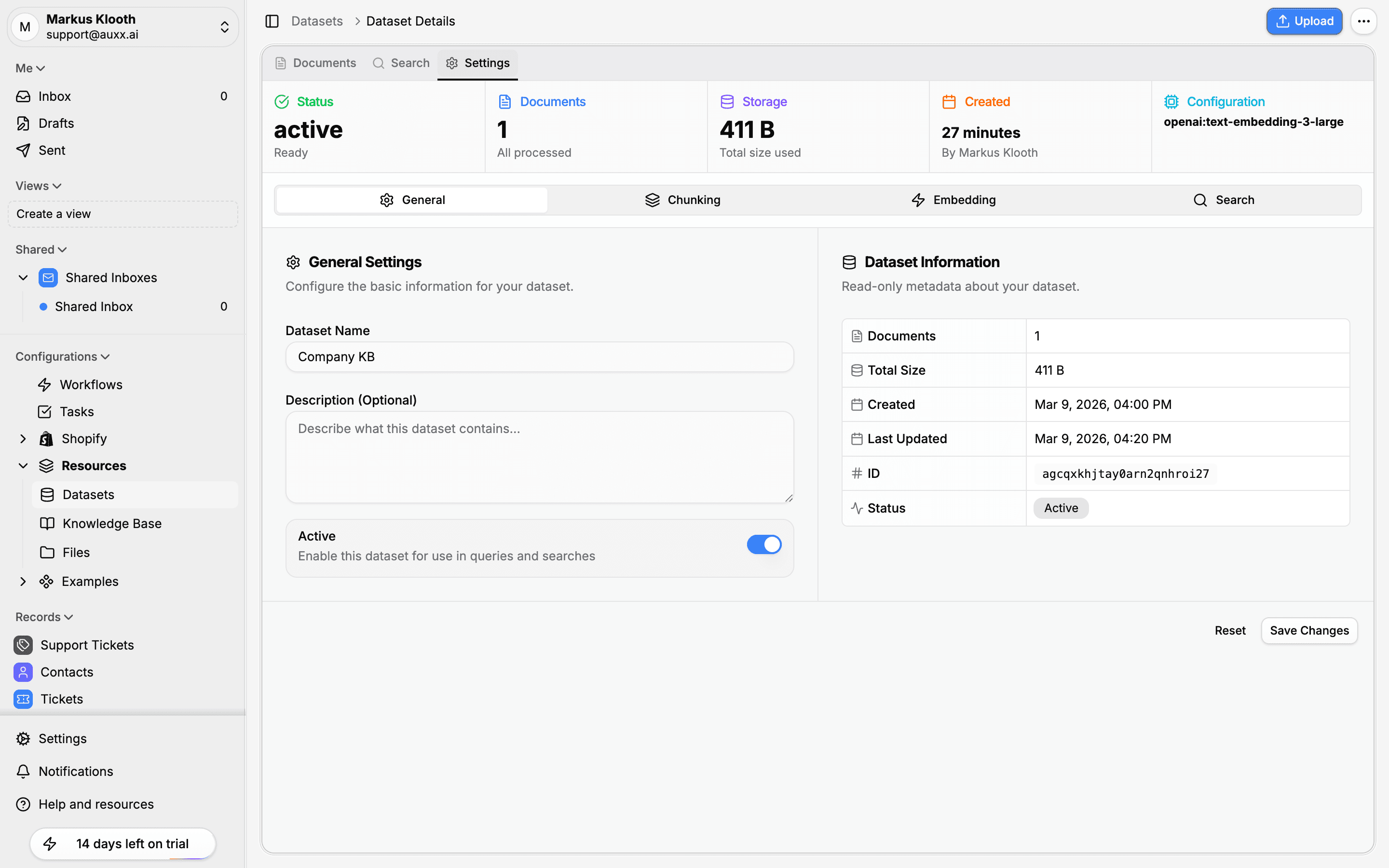
Settings are organized into four sections: General, Chunking, Embedding, and Search.
General settings
| Setting | Description |
|---|---|
| Dataset Name | Display name (must be unique per organization) |
| Description | Optional text describing what the dataset contains |
| Active | Toggle to include or exclude this dataset from queries and searches |
The right panel shows read-only metadata: document count, total size, creation date, last updated, dataset ID, and status.
Chunking settings
Chunking controls how document text is split into segments for search indexing. Smaller chunks improve search precision, while larger chunks preserve more context.
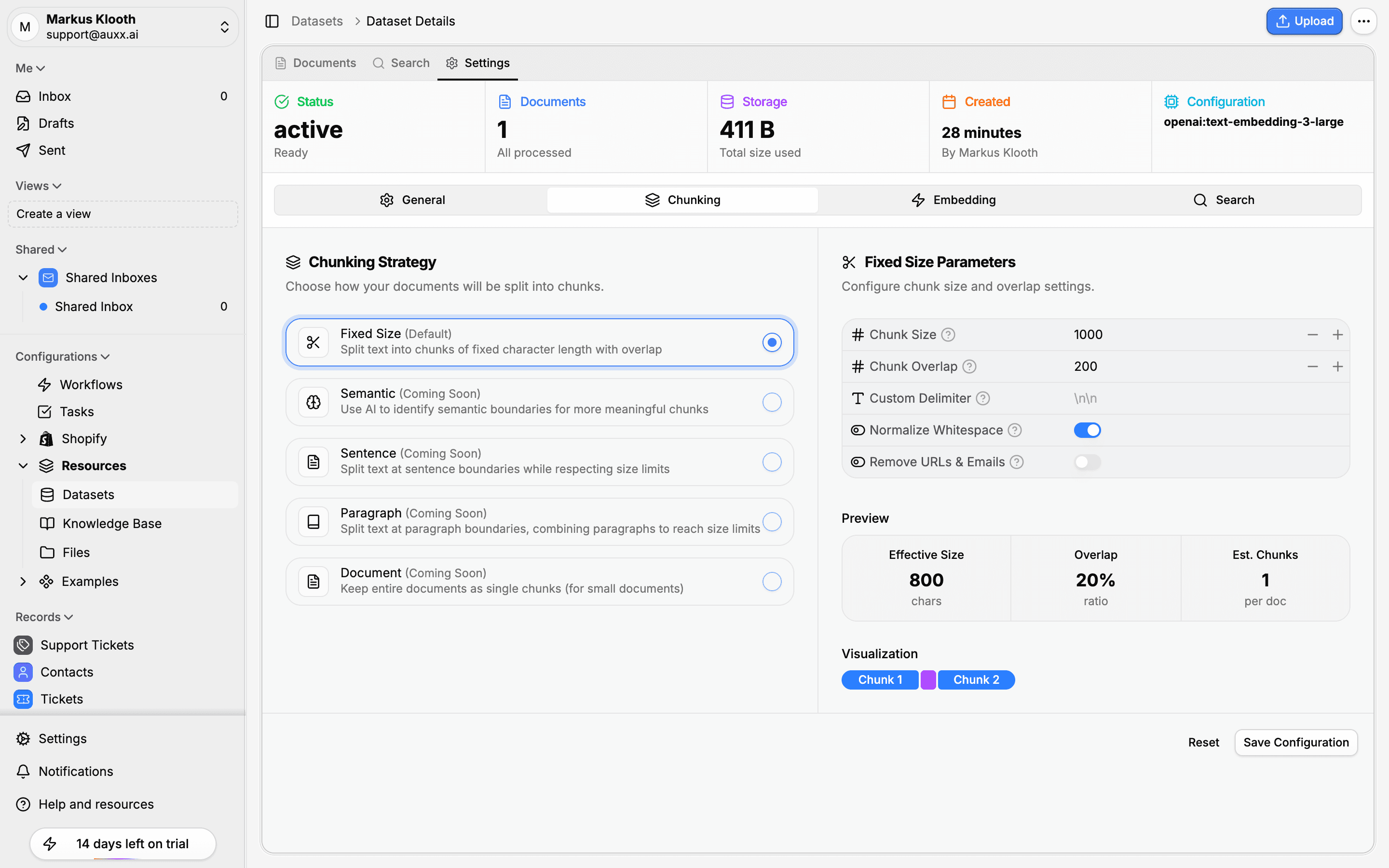
Chunking strategy
| Strategy | Description |
|---|---|
| Fixed Size (default) | Splits text into chunks of a fixed character length with overlap |
| Semantic | Uses AI to identify semantic boundaries (coming soon) |
| Sentence | Splits at sentence boundaries while respecting size limits (coming soon) |
| Paragraph | Respects paragraph boundaries, combining paragraphs to meet size requirements (coming soon) |
| Document | Treats the entire document as a single chunk — best for small documents (coming soon) |
Chunk parameters
| Parameter | Default | Range | Description |
|---|---|---|---|
| Chunk Size | 1,000 | 100–5,000 chars | Maximum character length of each segment |
| Chunk Overlap | 200 | 0–1,000 chars | Number of characters shared between adjacent segments |
| Custom Delimiter | \n\n | Any string | Custom split pattern (paragraph break by default) |
Preprocessing options
| Option | Default | Description |
|---|---|---|
| Normalize Whitespace | On | Replace consecutive spaces, newlines, and tabs with single characters |
| Remove URLs & Emails | Off | Strip URLs and email addresses before chunking |
Preview
The settings page shows a real-time preview of your chunking configuration:
- Effective Size — Actual chunk size after preprocessing
- Overlap — Overlap percentage relative to chunk size
- Est. Chunks — Estimated number of chunks per document
- Visualization — Color-coded blocks showing how chunks overlap
Embedding settings
Embedding configuration controls how text segments are converted to vector representations.
| Setting | Description |
|---|---|
| Embedding Model | The AI model used to generate embeddings (e.g., openai:text-embedding-3-large) |
| Vector Dimension | Size of the embedding vectors (512, 768, 1,024, 1,536, or 3,072) |
The embedding model is set when creating the dataset. Changing it requires reindexing all documents since vectors from different models are not compatible.
Search settings
Search configuration controls how queries are matched against your indexed segments.
| Setting | Description |
|---|---|
| Search Type | vector (semantic), text (keyword), or hybrid (both combined) |
Hybrid search is the default and recommended option — it combines the strengths of semantic similarity with keyword matching for the best results.
Applying changes
After modifying settings, click Save Changes to apply. If you change chunking or embedding settings, existing documents will need to be reindexed for the new settings to take effect. Use the Reindex action on individual documents or perform a bulk reindex from the Documents tab.