Datasets overview
Datasets store and index documents for AI-powered semantic search and knowledge retrieval in Auxx.ai.
Datasets are collections of documents that Auxx.ai processes and indexes for AI-powered search. They power the Retrieval-Augmented Generation (RAG) pipeline — when your AI workflows need context, they query datasets to find relevant information from your uploaded documents.
Access datasets from Resources > Datasets in the sidebar.
How datasets work
- You create a dataset and upload documents (PDFs, text files, markdown, etc.)
- Auxx.ai extracts the text content from each document
- The text is split into smaller segments (chunks) for better search accuracy
- Each segment is converted into a vector embedding using an AI model
- When a workflow or search query runs, Auxx.ai finds the most relevant segments and returns them as context
Overview page
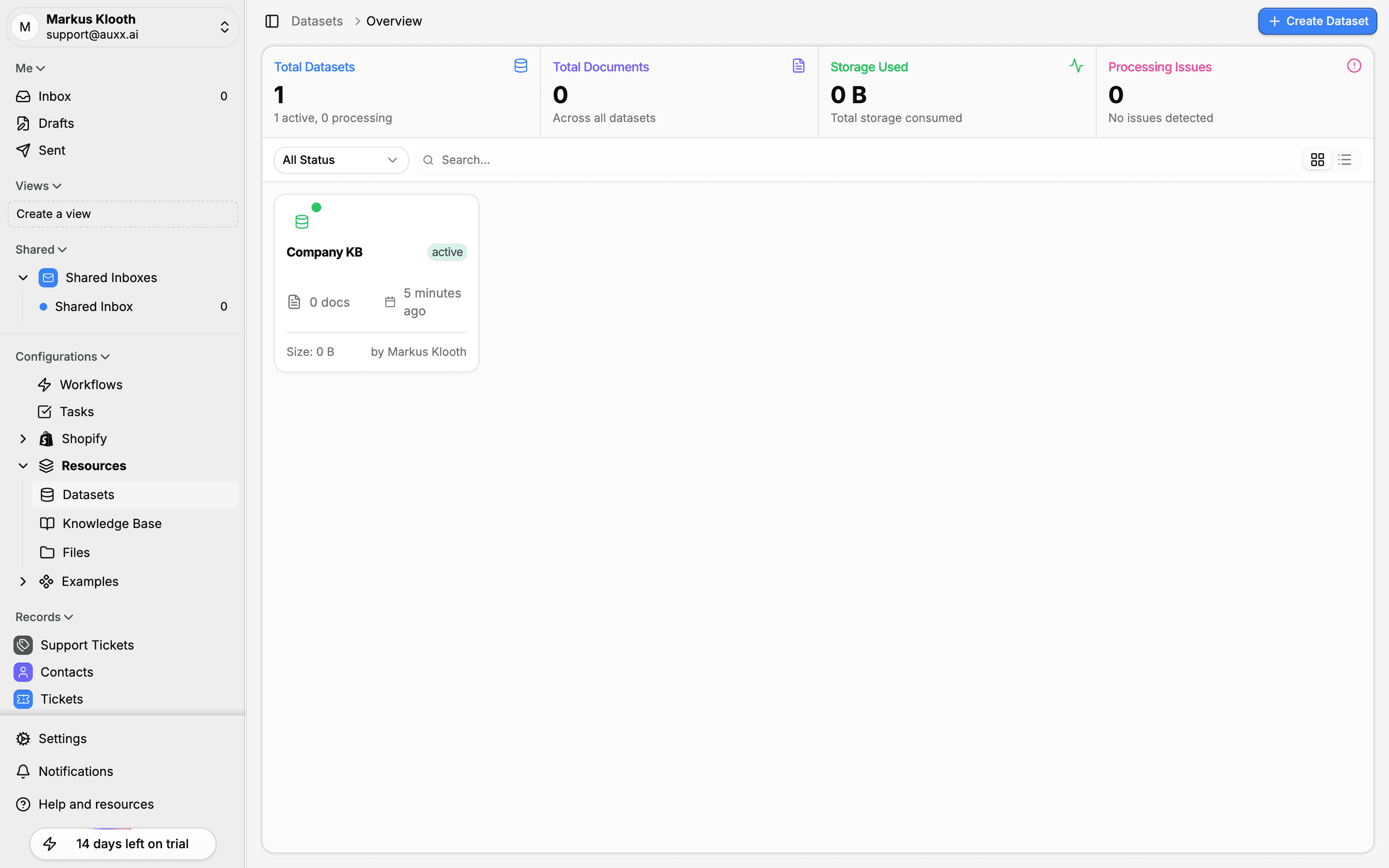
The datasets overview page shows all your datasets with summary statistics at the top:
| Stat | Description |
|---|---|
| Total Datasets | Number of datasets, with active/processing breakdown |
| Total Documents | Combined document count across all datasets |
| Storage Used | Total storage consumed by all documents |
| Processing Issues | Number of documents with processing errors |
Each dataset card displays:
- Dataset name and status badge (active, inactive, processing, error)
- Document count
- Last updated time
- Total size
- Creator name
Use the Status dropdown to filter by dataset status and the Search bar to find datasets by name.
Dataset statuses
| Status | Description |
|---|---|
| Active | Dataset is available for queries and searches |
| Inactive | Dataset exists but is excluded from searches |
| Processing | Documents are being indexed |
| Error | One or more documents failed to process |
Dataset detail page
Click a dataset to open its detail page. The header shows key metrics — status, document count, storage used, creation date, and the configured embedding model.
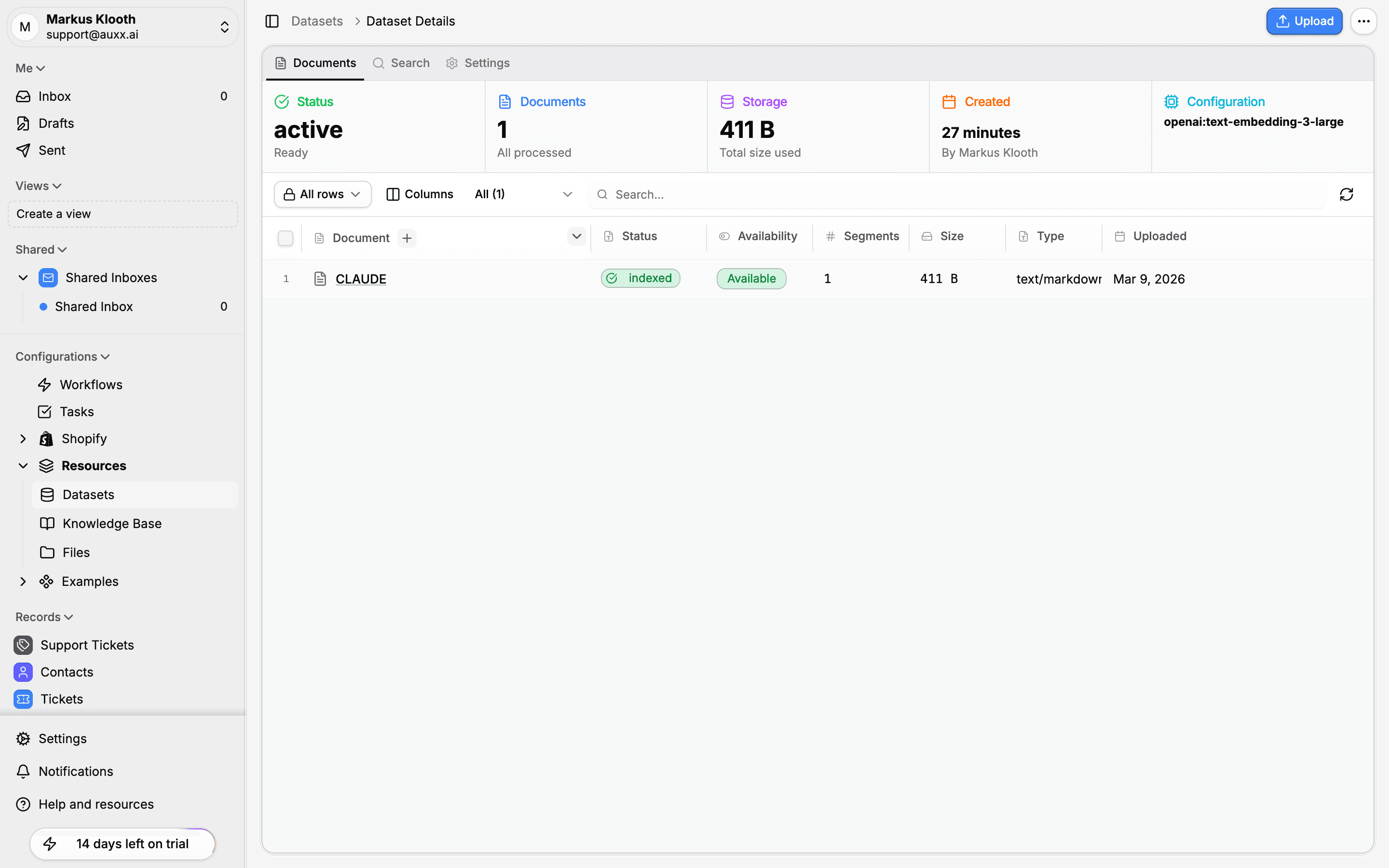
The detail page has three tabs:
| Tab | Purpose |
|---|---|
| Documents | Upload, view, and manage documents in the dataset |
| Search | Test search queries against the dataset |
| Settings | Configure chunking, embedding, and search options |
Supported document types
| Type | Extensions |
|---|---|
.pdf | |
| Word | .docx |
| Plain text | .txt |
| HTML | .html |
| Markdown | .md |
| CSV | .csv |
| JSON | .json |
| XML | .xml |