Searching a dataset
Test vector, full-text, and hybrid search queries against your indexed documents in Auxx.ai.
The Search tab lets you test queries against your dataset to verify that documents are indexed correctly and relevant results are returned. Open a dataset and go to the Search tab.
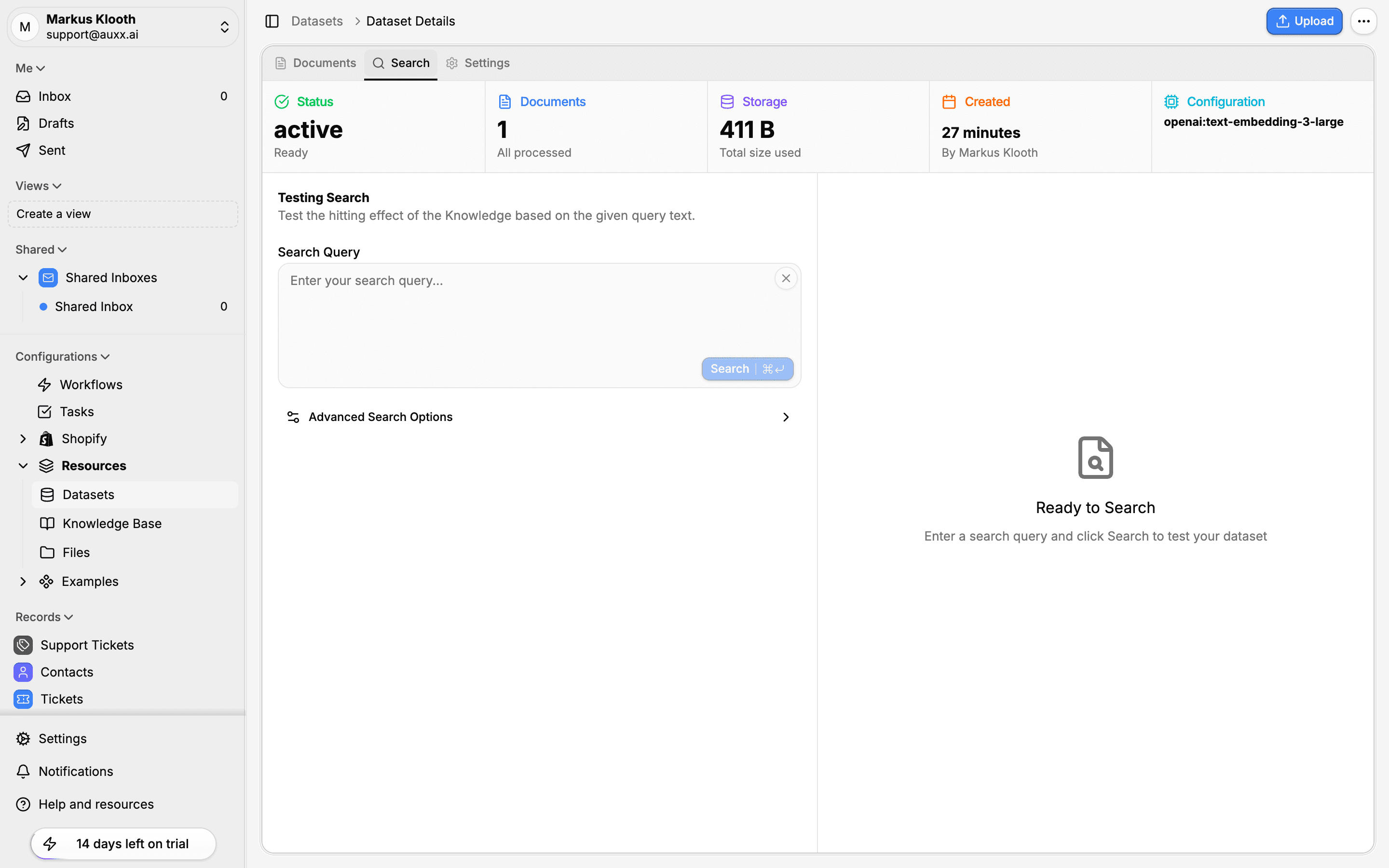
Running a search
- Enter a search query in the Search Query text area
- Click Search
- Results appear below, ranked by relevance score
Each result shows:
- The matching text segment content
- Relevance score (0–1 for vector search, rank value for text search)
- Source document name and type
- Segment position within the document
Search types
Auxx.ai supports three search methods. Set the search type in Advanced Search Options.
Vector search (semantic)
Converts your query into a vector embedding using the same model as the dataset, then finds segments with similar embeddings. This finds content by meaning — even when the exact words differ.
Best for:
- Natural language questions ("How do I reset my password?")
- Conceptual queries ("customer refund policy")
- Finding related content that uses different terminology
Full-text search (keyword)
Uses PostgreSQL full-text search with BM25-style ranking. Matches segments containing the exact words in your query.
Best for:
- Exact phrase matching ("order #12345")
- Technical terms or product names
- Boolean queries with specific keywords
Hybrid search (recommended)
Combines both vector and text search results with intelligent weighting. This is the default and recommended search type.
How it works:
- Both searches run in parallel
- Results are merged using weighted scoring (60% vector, 40% text by default)
- Weights adapt automatically based on query characteristics:
| Query type | Vector weight | Text weight |
|---|---|---|
| Short queries (1–2 words) | 70% | 30% |
| Exact phrases (quoted) | 30% | 70% |
| Boolean queries | 30% | 70% |
| General queries | 60% | 40% |
Advanced search options
Expand Advanced Search Options to fine-tune your query:
| Option | Default | Description |
|---|---|---|
| Search Type | Hybrid | Vector, text, or hybrid |
| Similarity Threshold | 0.7 | Minimum relevance score for vector results (0–1) |
| Max Results | 10 | Maximum number of segments to return |
Lowering the similarity threshold returns more results but may include less relevant content. Raising it returns fewer, more precise matches.
Using datasets in workflows
Datasets are primarily used through the Knowledge Retrieval node in workflows. This node queries one or more datasets and passes the retrieved segments as context to AI generation nodes.
Typical RAG workflow:
- A trigger receives a customer question
- The Knowledge Retrieval node searches your datasets for relevant content
- Retrieved segments are passed as context to an LLM node
- The LLM generates an answer grounded in your documentation
The Knowledge Retrieval node supports the same search types and configuration options available in the Search tab.