Upgrading & downgrading
Learn how to upgrade, downgrade, or change billing cycles for your Auxx.ai subscription.
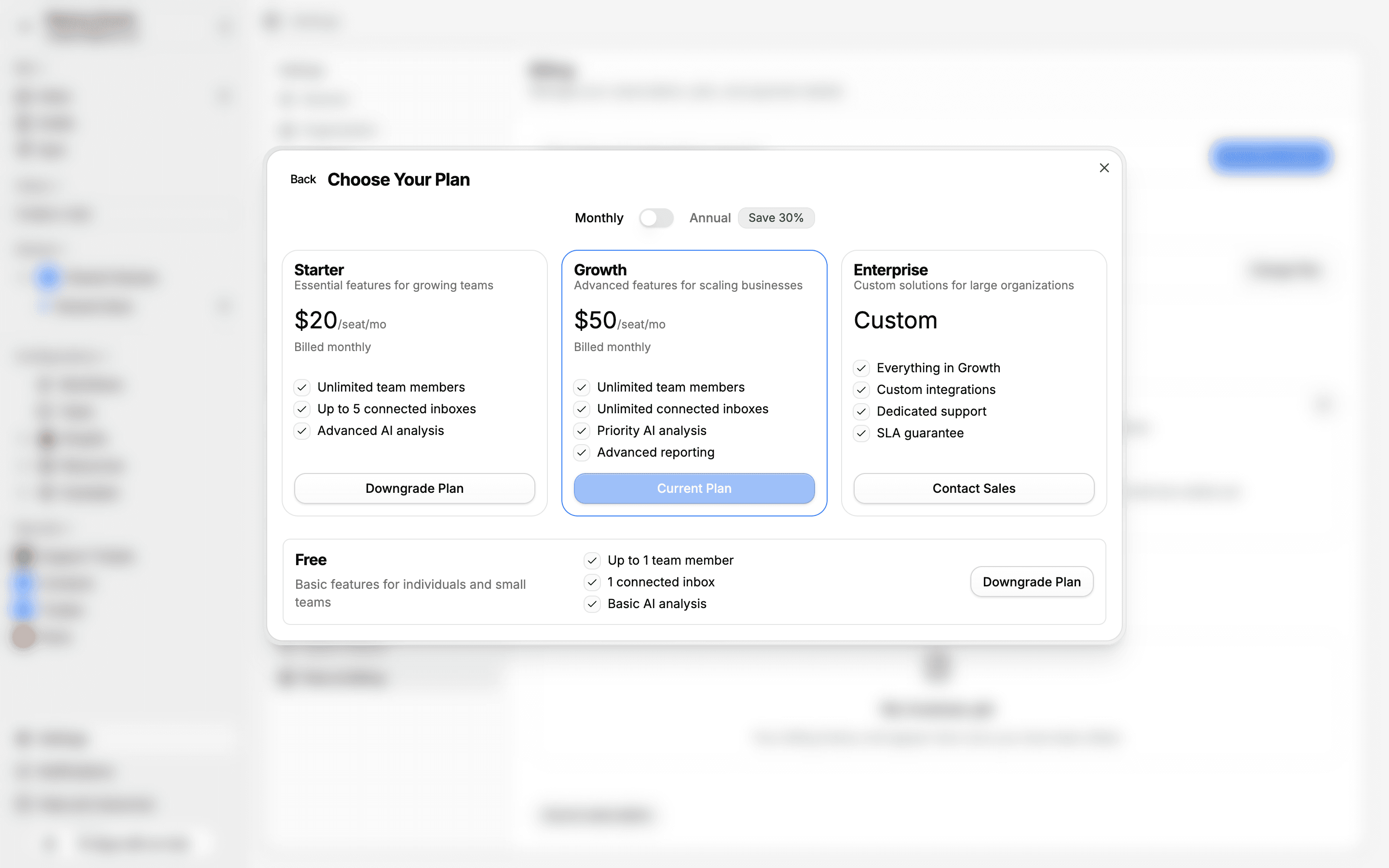
You can change your plan at any time from Settings > Plans. Upgrades take effect immediately, and downgrades are applied at the end of your current billing period.
Upgrade your plan
- Go to Settings > Plans
- Select the plan you want to upgrade to
- Choose your billing cycle — Monthly or Annual (30% savings)
- Complete checkout through Stripe
After checkout, your new plan features are available immediately. If you're upgrading mid-cycle, you'll receive a prorated credit for the unused portion of your current plan.
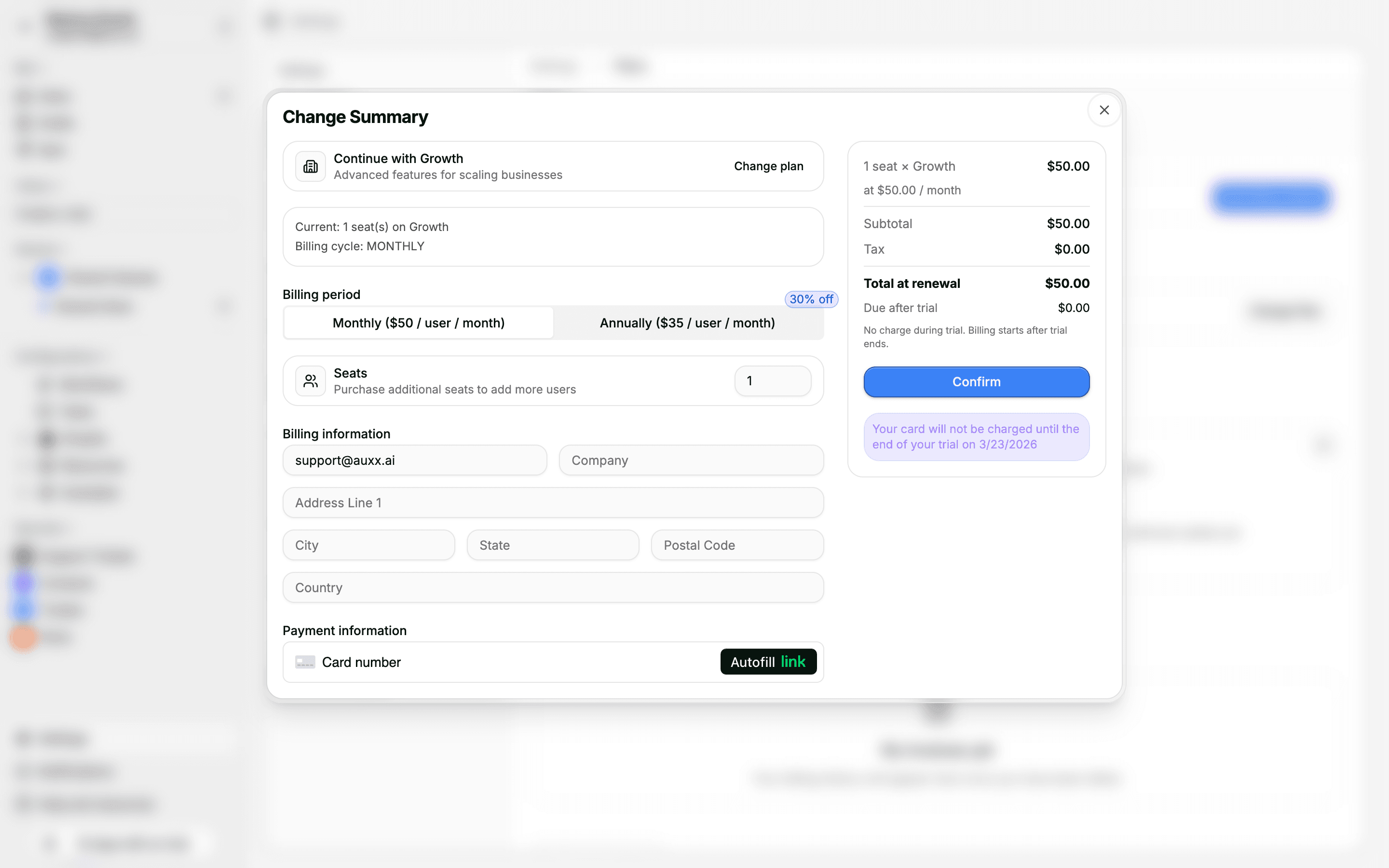
After selecting a plan, you'll see the Change Summary with billing cycle, seats, billing address, payment details, and a cost breakdown.
Start a free trial
If your workspace hasn't used a trial before, you can start a 14-day free trial of the Starter or Growth plan:
- Go to Settings > Plans
- Click Start 14-Day Free Trial on the plan you want to try
- No credit card required — you'll get full access to all plan features
At the end of the trial, you can choose to subscribe or return to the Free plan.
Downgrade your plan
- Go to Settings > Plans
- Select a lower-tier plan
- Confirm the change
Downgrades are scheduled for the end of your current billing period. You keep full access to your current plan until then.
What happens when you downgrade
When the downgrade takes effect, Auxx.ai enforces the new plan's limits:
- Team members — If you exceed the new plan's member limit, the most recently added members are deactivated first (regular users before admins). The workspace owner is never deactivated.
- Connected inboxes — Excess integrations may be disabled.
- Usage quotas — Monthly email and AI request limits are reduced to match the new plan.
Change your billing cycle
You can switch between monthly and annual billing:
- Go to Settings > Plans
- Toggle the billing cycle from Monthly to Annual (or vice versa)
- Confirm the change
Switching to annual saves 30%. The change is prorated — you'll pay the difference or receive a credit for the remaining time.
Scheduled changes
When you schedule a plan change (downgrade or billing cycle switch), you'll see the upcoming change displayed on your plan settings page. You can cancel a scheduled change at any time before it takes effect.